 SharingCast
Device-to-device transfer · no server storage
Choose files to send
Files go directly to the other device, one after another — nothing is saved on a server.
Receive files
Sender's code (or link, auto-filled) goes here. Files appear one by one as they arrive.
My room
Keep files in one room with a code that never changes. Other devices open their Room tab, join once, and tap Sync to get only the new files. The Send tab stays free for other transfers at the same time.
Join a room
Join someone's room once. Tap Sync any time to get only the files you don't have yet. The Receive tab stays free for other transfers at the same time.
How this works
- 1 The sender picks one or more files, optionally sets a password, and gets a code.
- 2 That code (or link) can be shared any way — WhatsApp, SMS, or just read aloud.
- 3 The receiver enters the code and hits Connect — a direct connection forms between the two devices.
- 4 Files transfer one after another, directly, at your own internet/WiFi speed — never stored anywhere in between.
How to send and receive files
Four quick steps on any phone, tablet or computer. It works right in your browser, with no account needed. Tap a picture to enlarge it.
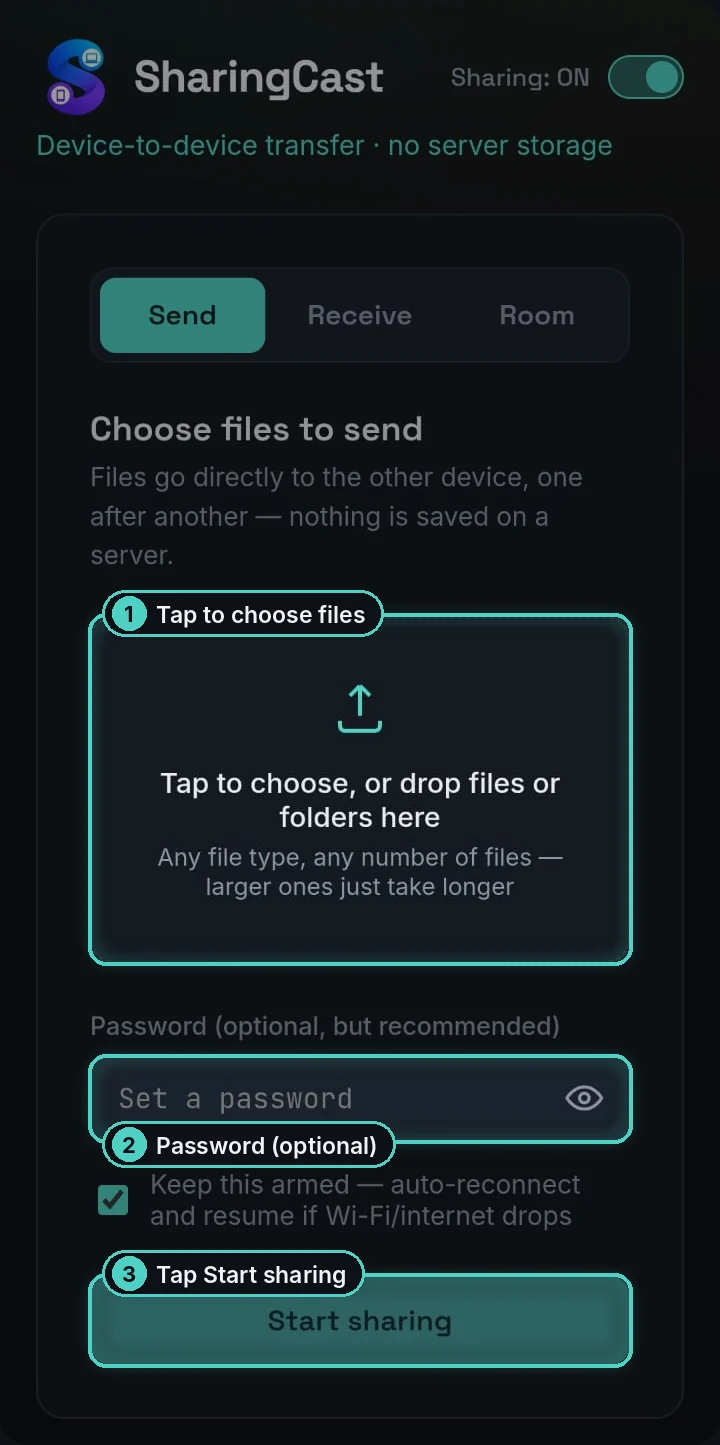
Choose your files
On the sending device, open the Send tab and tap the box to pick files or a whole folder (on a computer you can also drag them in). Add a password if you like. Tap the eye to check what you typed. Then tap Start sharing.
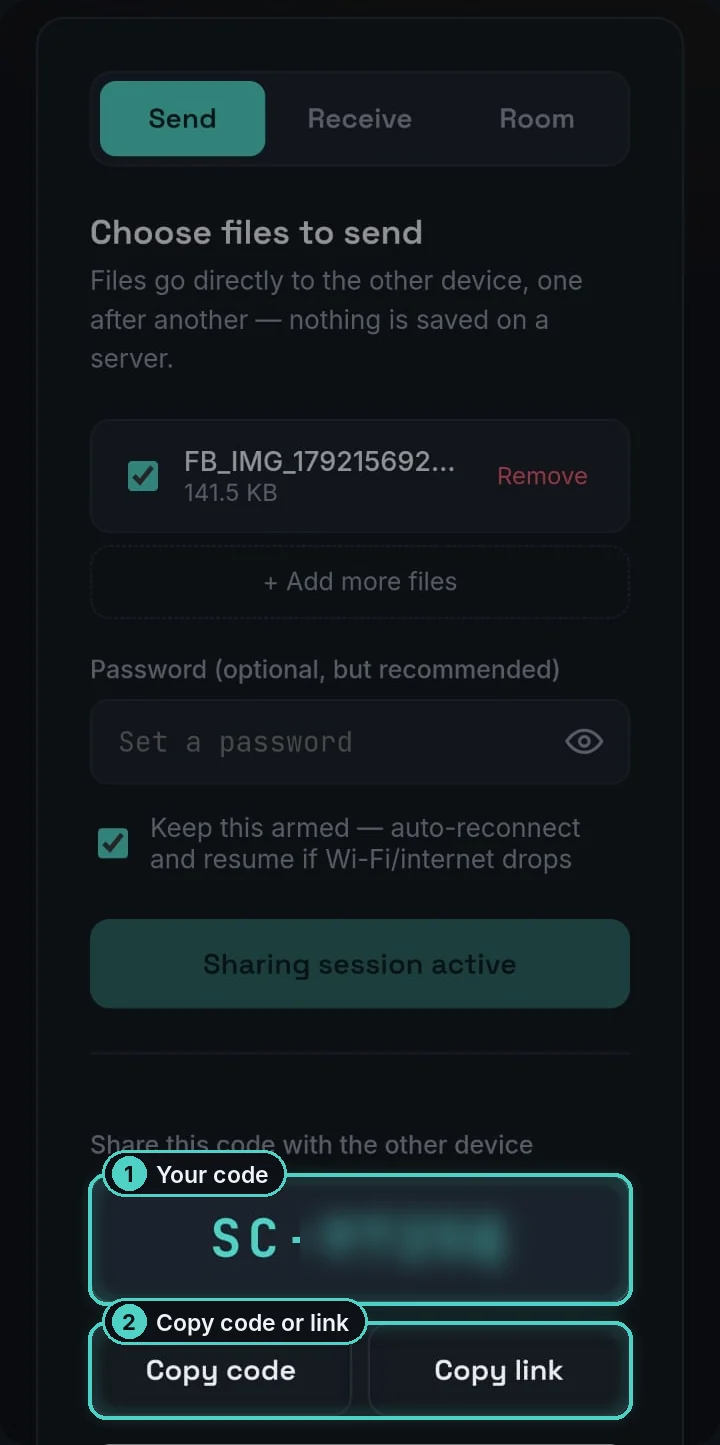
Share the code
You get a short code that starts with SC-, plus Copy code, Copy link and a QR code just below. Send it by WhatsApp or SMS, read it out, or let the other person scan the QR code. Keep this page open until the transfer is done.
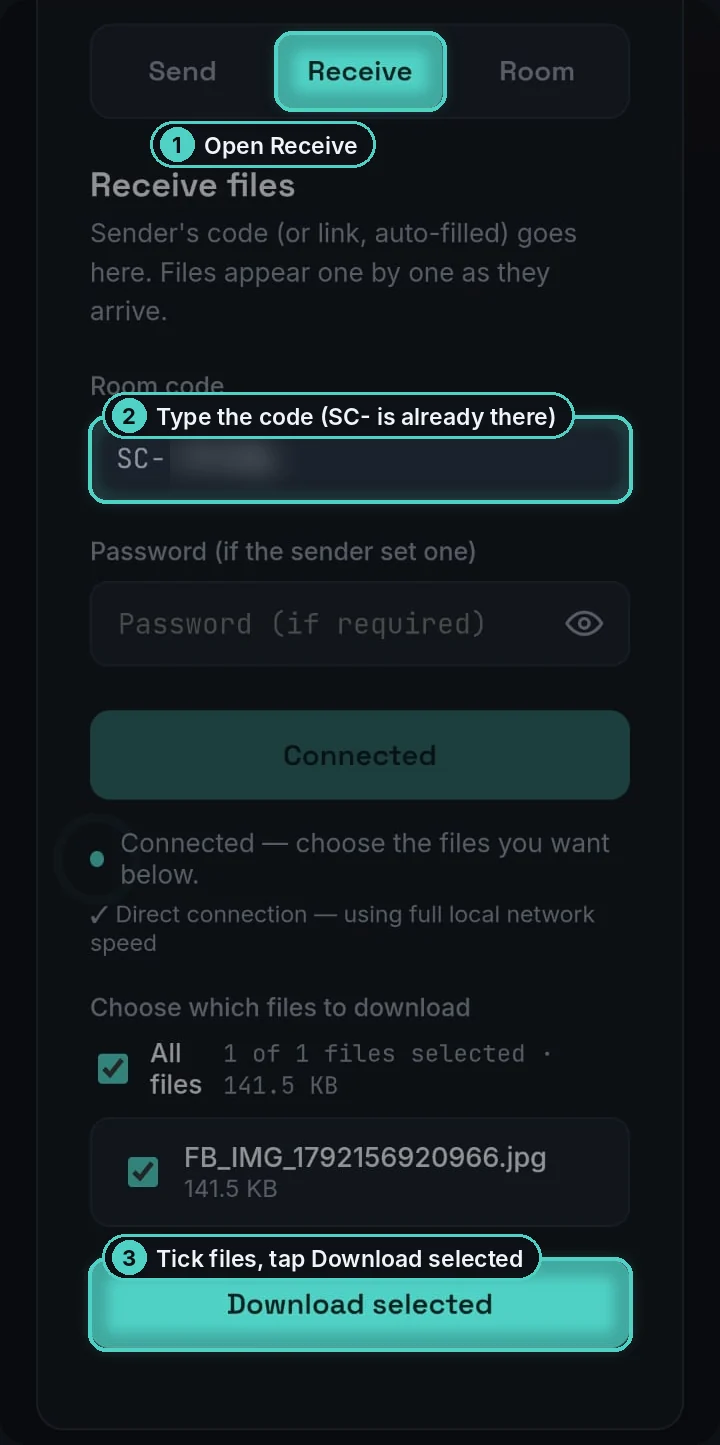
Connect and download
On the other device, open Receive. SC- is already filled in, so just type the rest of the code (and the password, if there is one) and tap Connect. Tick the files you want and tap Download selected, or save everything at once as one ZIP.
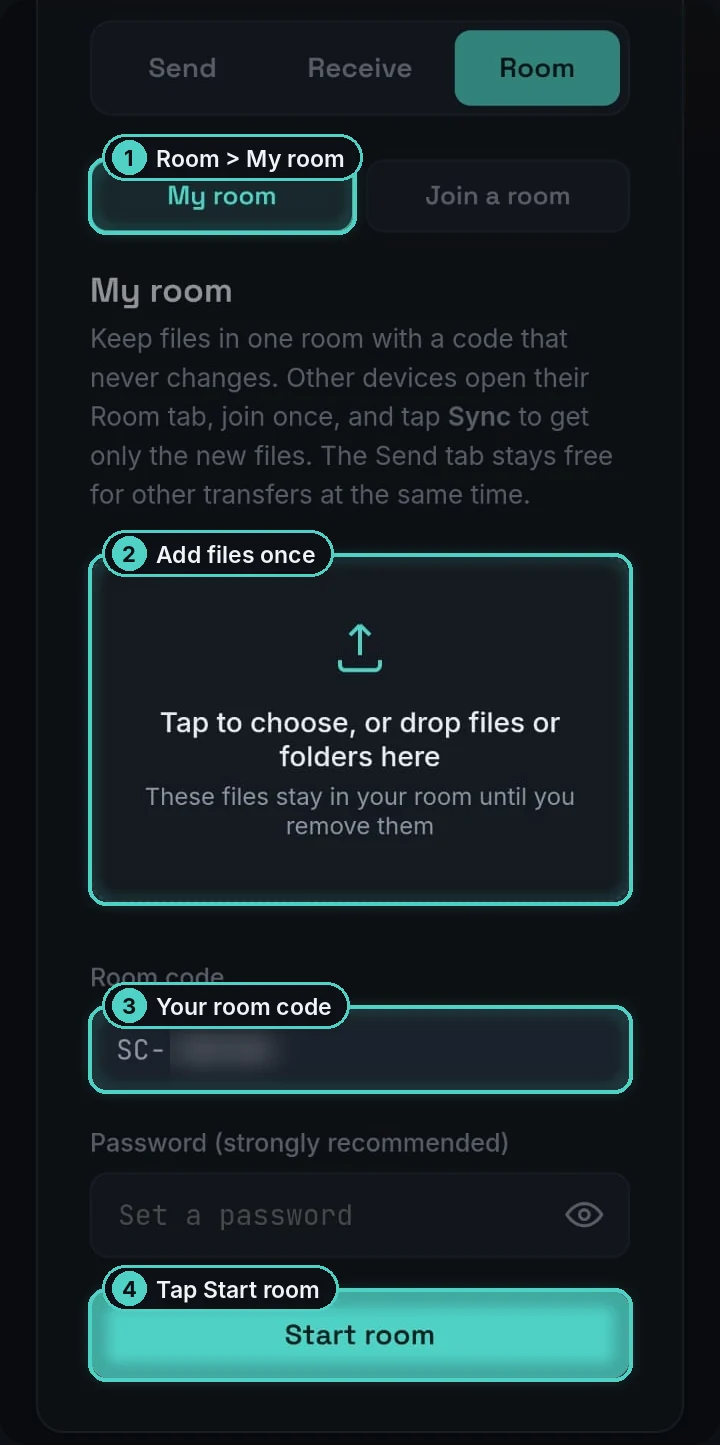
Same files often? Use My room
Open Room → My room, add your files once and tap Start room. The code never changes. Other devices open Join a room once, then only new files show up for them to download. Your Send tab stays free. Room guide →
Both devices need to stay online with SharingCast open until the transfer finishes. See all guides →
What is SharingCast?
SharingCast is a free, browser-based tool for sending files directly from one device to another. Instead of uploading your file to a company's server and waiting for the other person to download it, SharingCast opens a direct peer-to-peer connection using WebRTC — the same technology that powers video calls. Your file travels straight from your device to theirs, over your own internet or Wi-Fi connection, and it is never stored anywhere in between.
This makes SharingCast a practical alternative to email attachments, WeTransfer, or Google Drive when you just need to move a file from one device to another — whether that's a phone to a laptop, Windows to a Mac, or across any two modern browsers. There's no account to create, no app to install, and no artificial size limit on what you can send.
Learn more about how it works on our About page, or see how SharingCast compares as an AirDrop alternative for Windows and a way to send large files without uploading, or set up a Persistent Room so a device that receives files often syncs only the new ones.

